Teenage Engineering · EP-133 K.O. II · EP-1320 Medieval · EP-40 Riddim
EP-133 K.O. II Key Map & Scale Helper
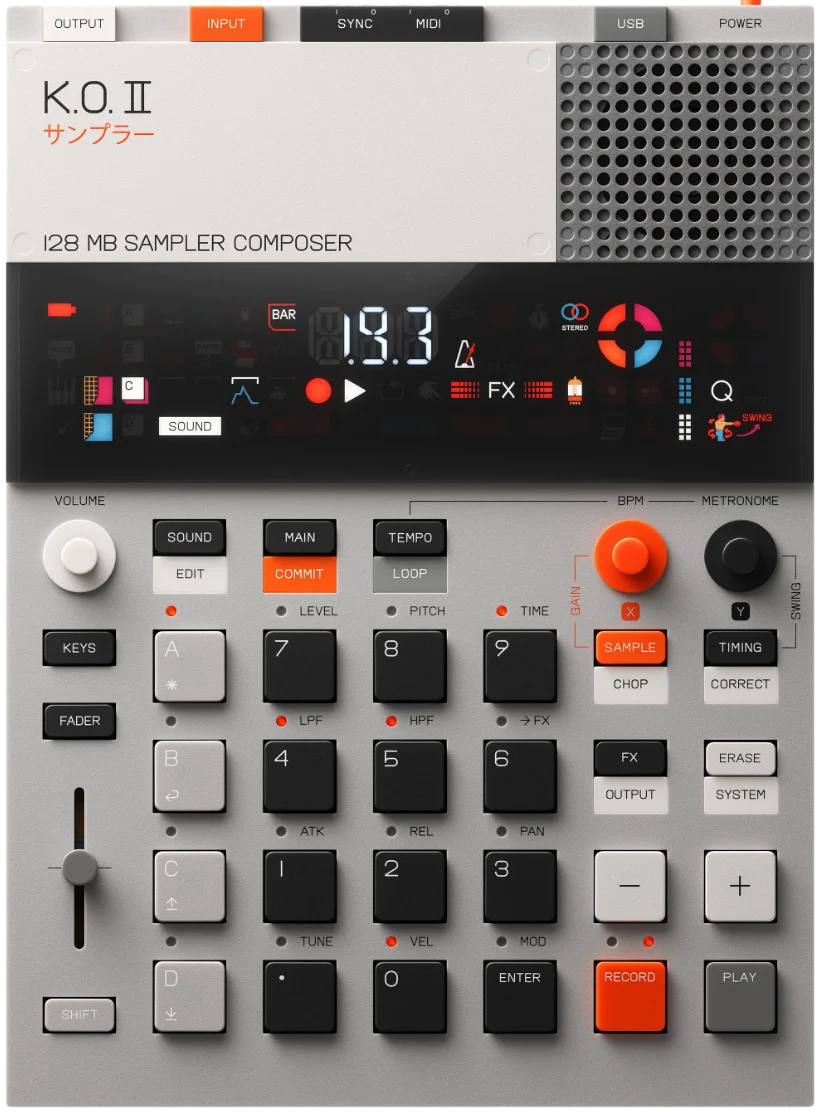
In keys mode the EP-133's 12 pads become a melodic keyboard. This sheet shows exactly which pad plays which note for any key, root pad and scale — tap to hear it, find chord shapes, then print a cut-out overlay. The EP-1320 Medieval and EP-40 Riddim use the same K.O. II pad layout, so it works for those too.
How keys mode works
- 1.In main mode, pick the sound you want to play melodically, then press keys. The 12 pads become a keyboard that plays that sample pitched across the selected scale.
- 2.Hold keys + tap a pad to make it the root (transpose). That's the “root pad” control below.
- 3.Hold keys + –/+ to shift the keyboard by an octave.
- 4.Set the scale in system settings: shift+erase opens system → –/+ to pad, ⏎ → to sca, ⏎ → pick a scale (12T chromatic is the default), ⏎, then main to exit. Non-chromatic scales remap the pads so every pad lands in key.
Because pad 1 sits in the third row, the bottom row (. 0 ⏎) is below the root — those pads play the previous octave.
Key
Root pad
Scale
Notation
Octave
C4
Chord finder
— which pads play a chordPads
Keyboard
Filled keys are reachable by a pad; the highlighted key is the root
Printable overlay
Cut & place on the device
Prints the current mapping (C chromatic, root on pad 1).
EP-133 · C 12T · pad 1
74F#Gb
84G
94G#Ab
44D#Eb
54E
64F
14C
24C#Db
34D
.3A
03A#Bb
⏎3B
EP-133 · quick ref
C 12T · root pad 1 · low → high
.A3
0A#/Bb3
⏎B3
1C4
2C#/Db4
3D4
4D#/Eb4
5E4
6F4
7F#/Gb4
8G4
9G#/Ab4